 Notify me
Notify me
Notify me
◇ For the apps that eat your evenings
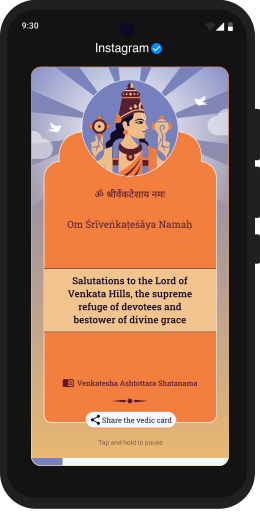
Open Instagram, YouTube, X — anything you've put on the list — and VedicGate shows up first with a short Sanskrit verse and its meaning. A few seconds to breathe, then you go on. Some days you'll close the app instead. That's the whole idea.
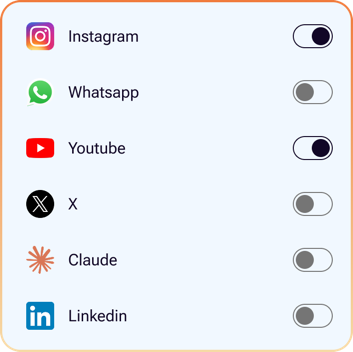
Instagram, YouTube, X — whatever you've added to your list. VedicGate notices the second you open it.
One verse fills the screen — the Sanskrit, how it's said out loud, what it means in everyday English, and where it comes from.
A short timer ticks down. Wait it out and go on with your day — or just close the app. Either way, you got a moment back.
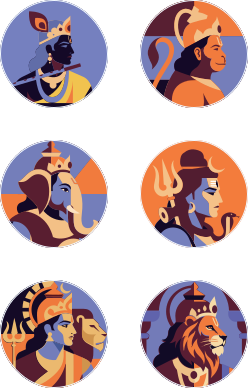
Every god comes with their own set of verses, pulled from texts like the Vedas, Upanishads, Puranas and well-known stotras. Pick one, pick a few, pick them all — you'll see verses from whoever you choose.


Just three screens. No notifications, no streaks, no nudges to come back. Home shows your gods. Apps is the list you want to slow down. Menu shows the verses you've read and the time you didn't spend scrolling.
Bhagavad Gita · 2.47
कर्मण्येवाधिकारस्ते मा फलेषु कदाचन
karmaṇy evādhikāras te mā phaleṣu kadācana
“You have the right to do your work — not to its results.”
— this is what you see for about 8 seconds when you open Instagram.

VedicGate uses one Android setting (Accessibility) so it can tell when you open an app on your list. That's it — no account to make, no analytics running in the background, no server we send anything to. All the verses are bundled inside the app itself, and your list of apps and your stats stay on your device.
Install the APK now, or wait for it to land on the Play Store. Whatever you prefer.